
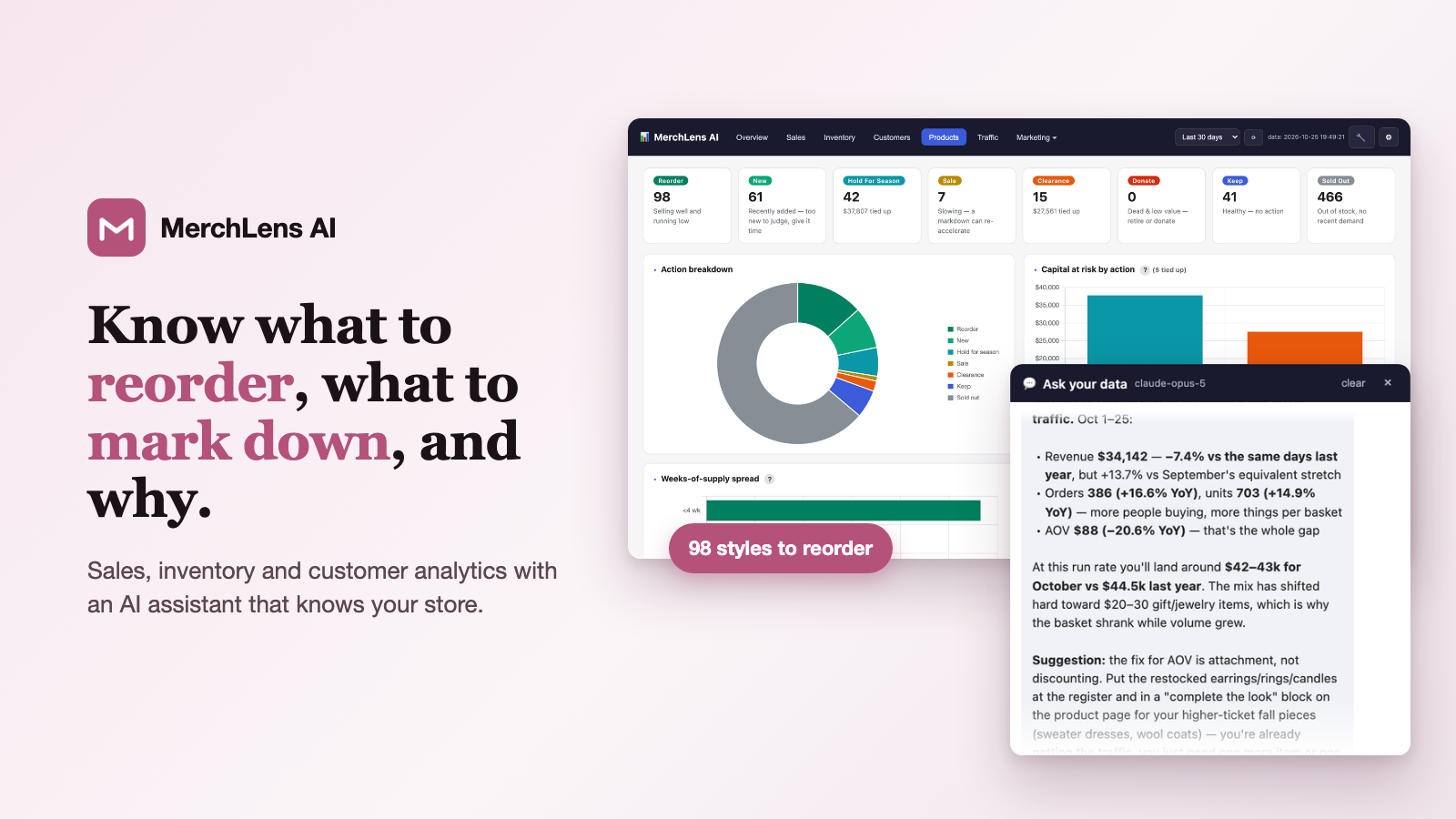
MerchLens AI is now live on the Shopify App Store. It’s an analytics app for independent boutiques that turns your Shopify orders, products and inventory into straight answers: what’s selling, what to reorder, what to mark down, and which customers are worth inviting back. When a chart raises a question, you can ask the built-in AI assistant about your store in plain English. Full details are at merchlensai.com.
Get MerchLens AI on the Shopify App Store →
14-day free trial · plans from $8.95/month · billed through Shopify
Why we built it
Shopify’s built-in reports tell you what happened. If you run a boutique, the harder part is deciding what to do about it. Is a slow March just the season, or something new? Which styles should you reorder before they sell out, and which are tying up cash on the rack? Which brands have earned the next buying appointment? MerchLens AI answers those questions from your own sales history. There’s no spreadsheet to build and nothing to configure.
SparTech Software built MerchLens AI with a working boutique, which has used it every day to make its buying, markdown and marketing decisions.
What’s inside
Overview: your whole shop on one screen
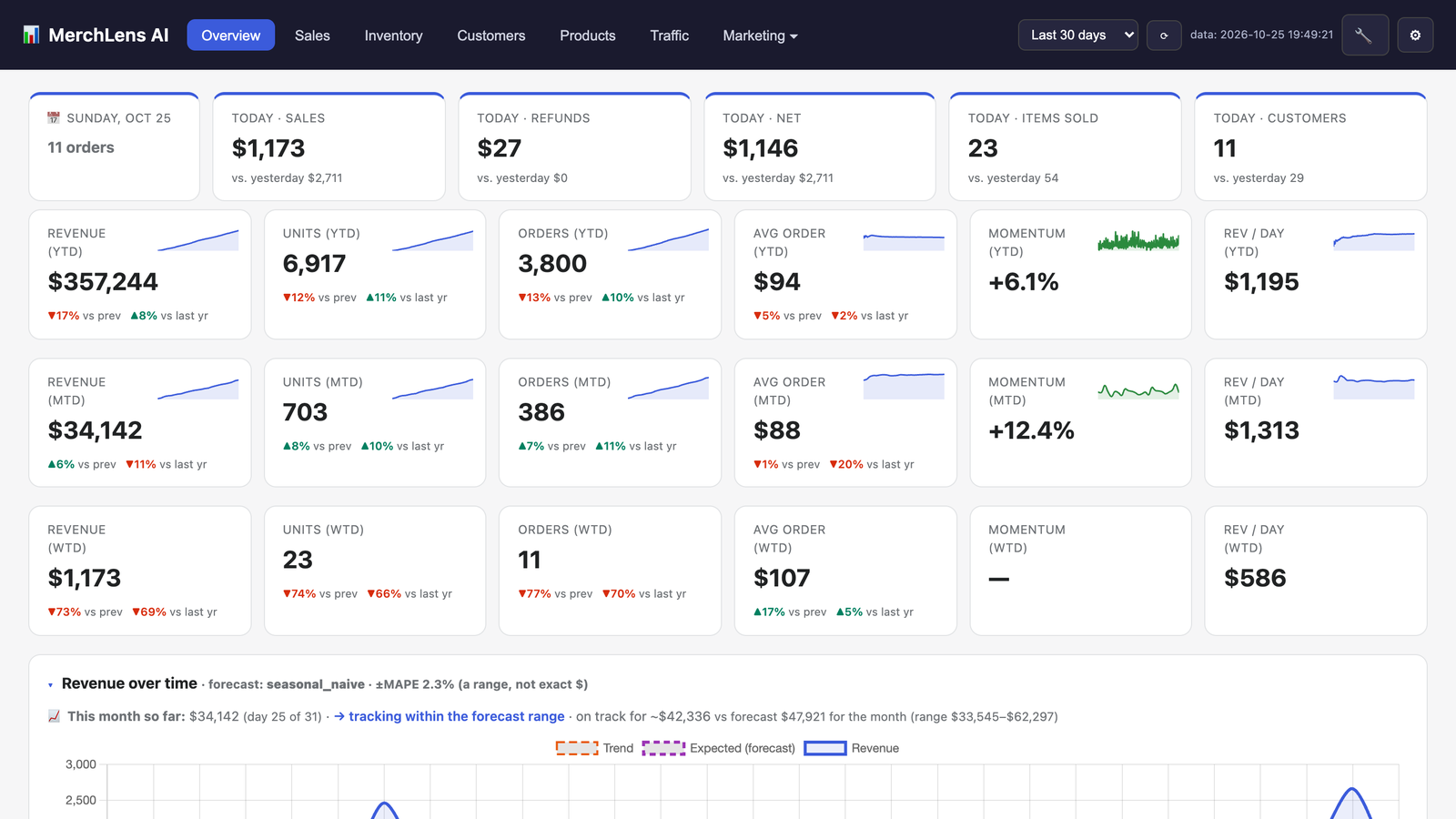
Today’s sales, refunds and items sold, plus week-, month- and year-to-date cards. Each card compares the figure with the previous period and with last year and shows a trend line. The revenue chart overlays a forecast built from your own seasons, so you can see early whether the month is on track.
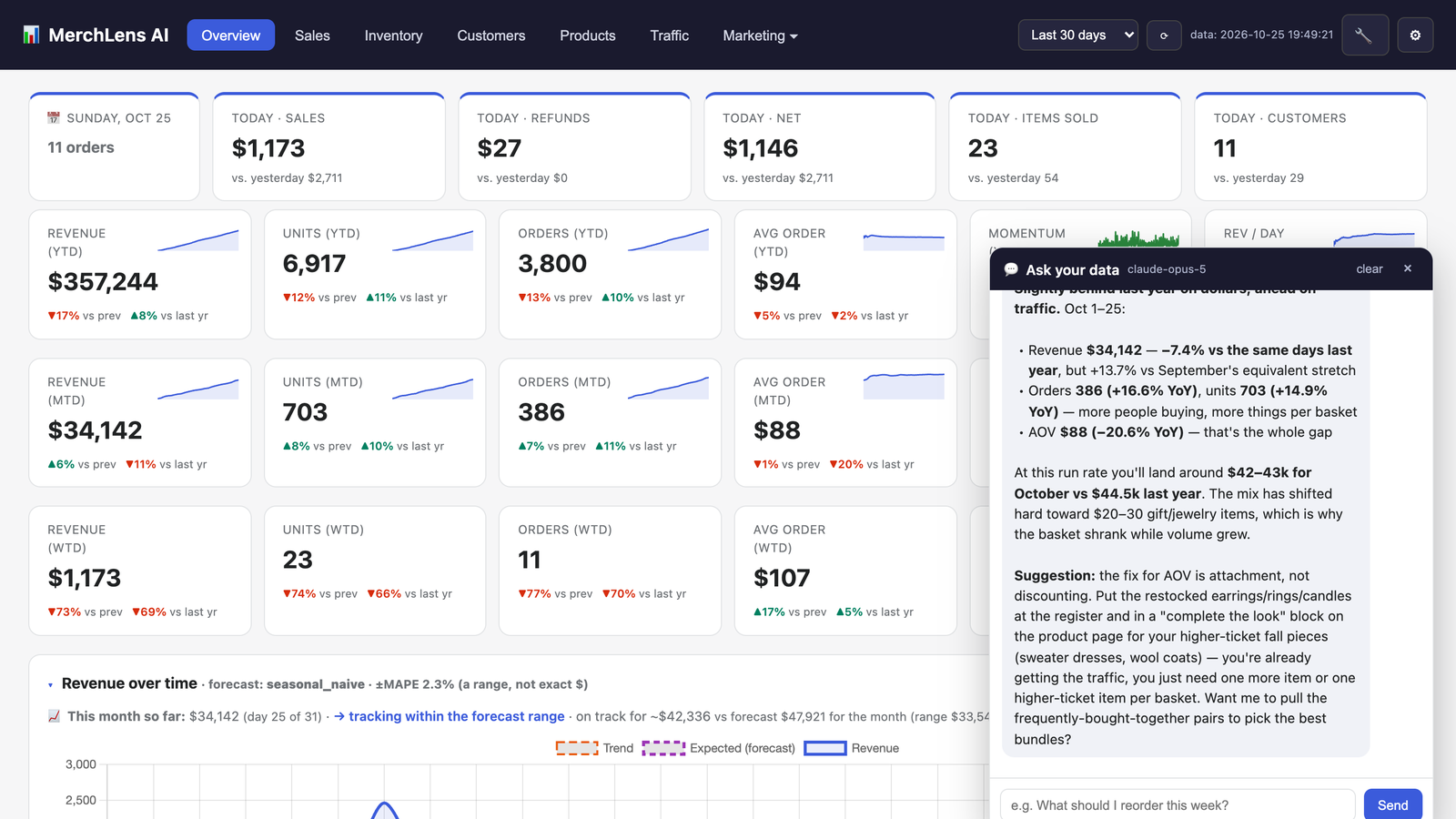
Ask your data, in plain English
Open the 💬 assistant and ask things like “How’s October going?” or “What should I reorder this week?” The answers use your real numbers and explain them. For example: revenue is down because the average basket shrank, even though orders are up. Each answer ends with a concrete next step. Once a week, an AI briefing sums up what changed and what to do about it.
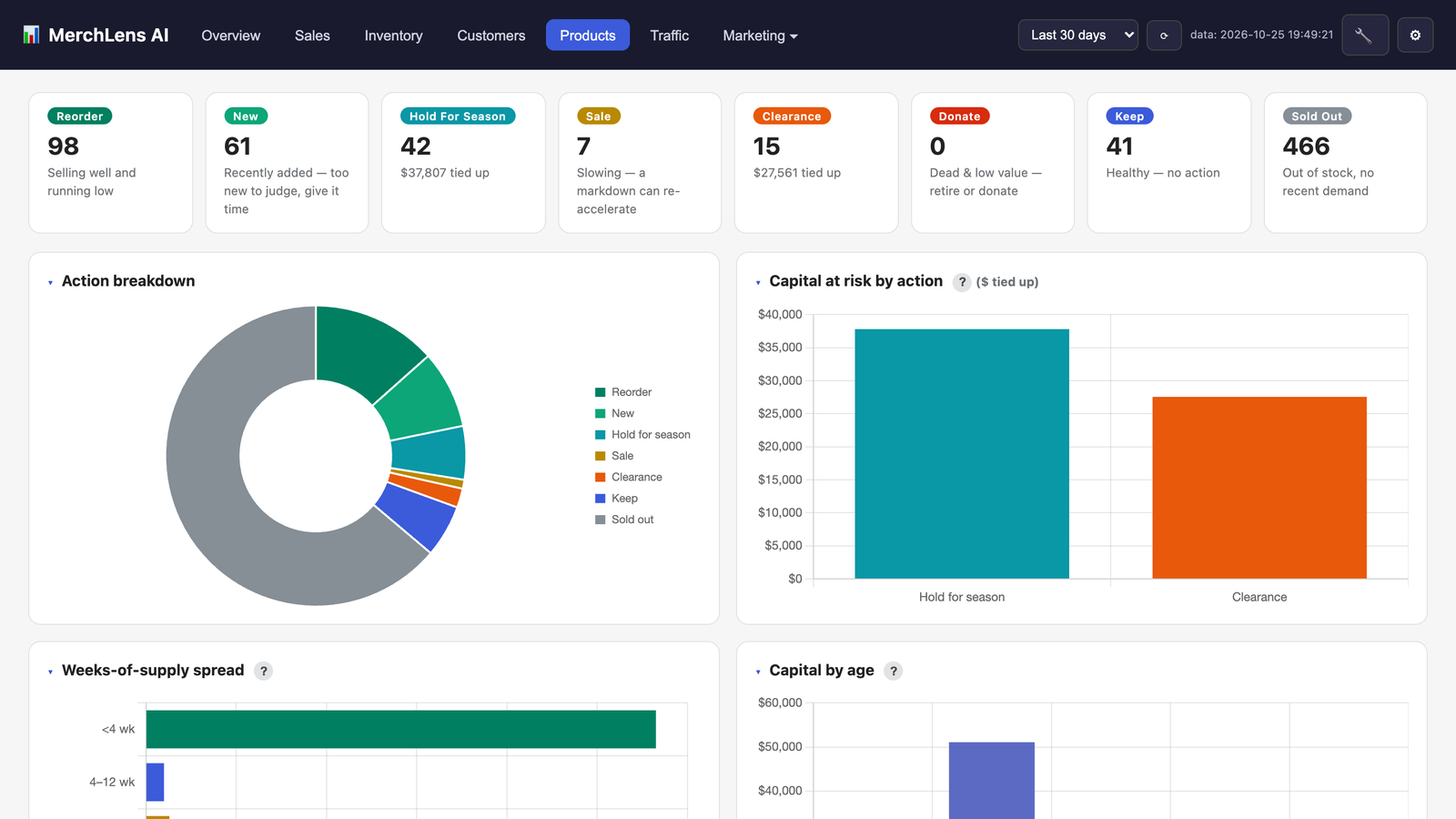
Products: reorder, hold or mark down
Every style is sorted into an action: Reorder (selling well and running low), New (too new to judge), Hold for season, Sale, Clearance or Keep. You also see how much money is tied up in each group. Weeks-of-supply and capital-by-age charts show where slow stock is building up before it turns into a clearance problem.
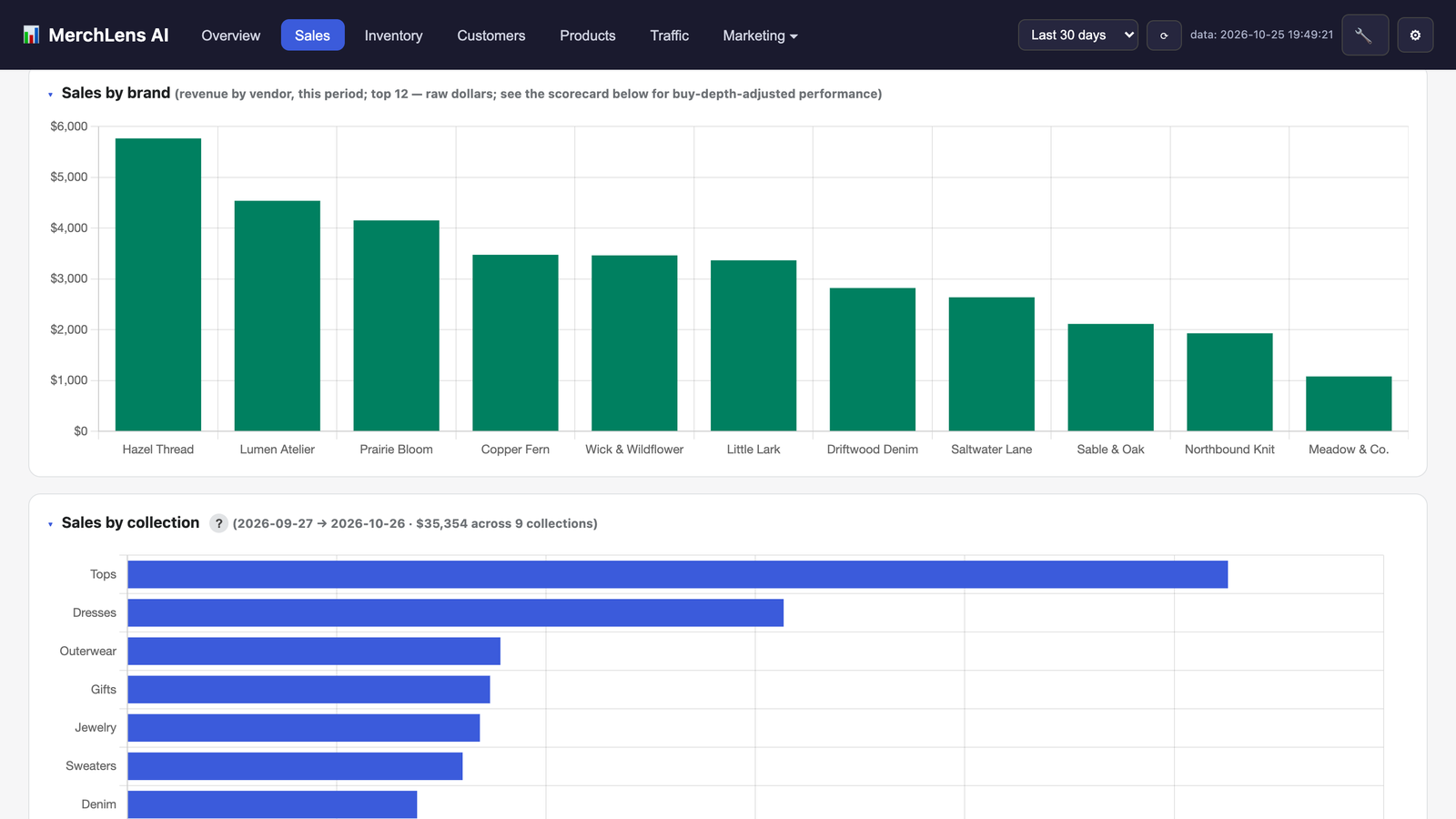
Sales: this year against every year before it
See each month next to the same month in prior years, with the forecast laid over it. Break sales down by brand, collection, size, color and season. A brand scorecard ranks your vendors by sales, sell-through and growth, so buying appointments start with facts. The size and color mix shows which sizes sell through first, so your next size run is right.
Inventory
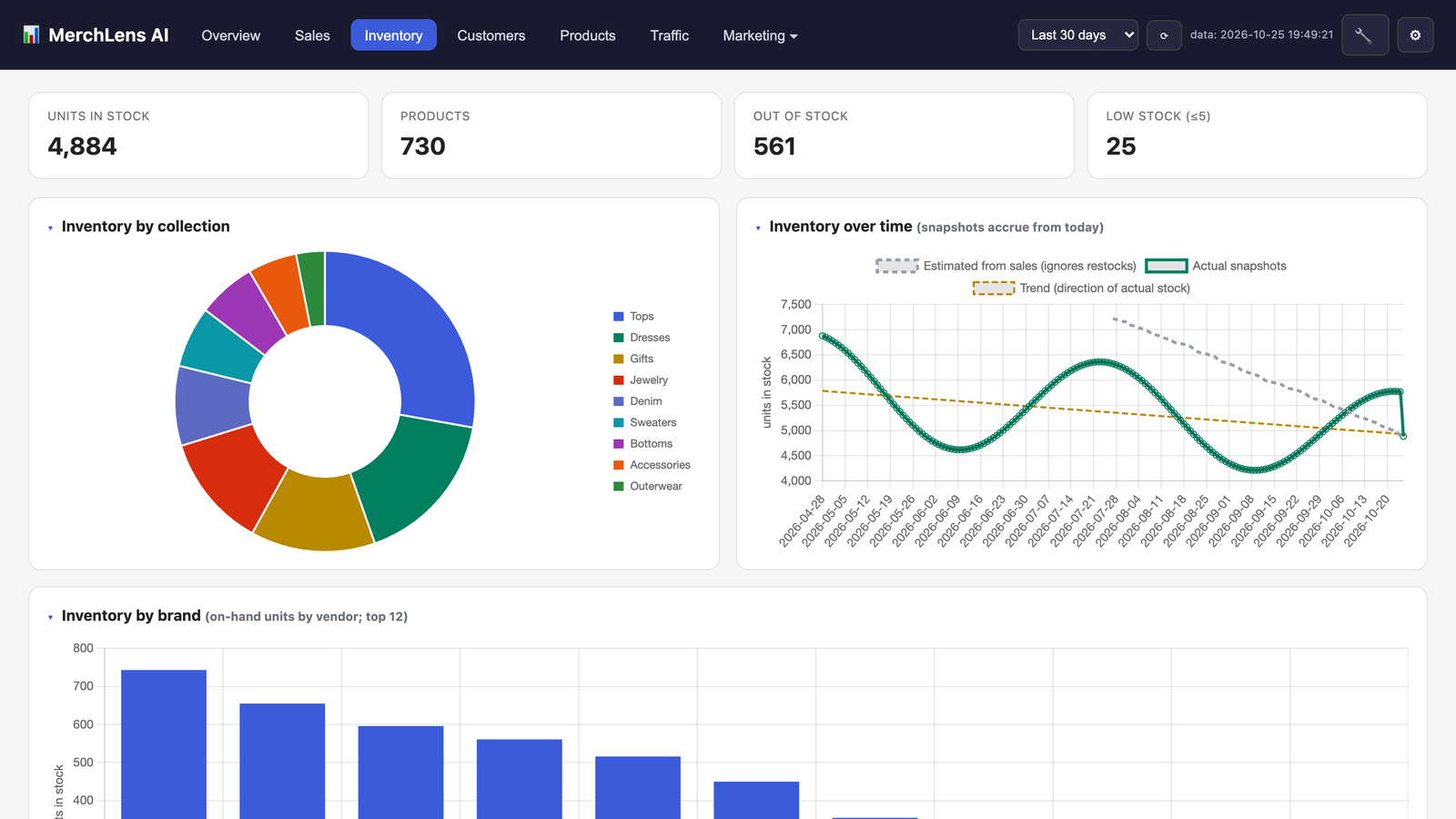
See what’s in stock, how stock has changed over time, and the lowest-stock items in each collection. One-click tools fix missing costs, SKU problems and sold-out listings. Seasons (spring, summer, fall, winter, holiday) are tagged automatically from how each product actually sells.
Customers: who to thank, and who to win back
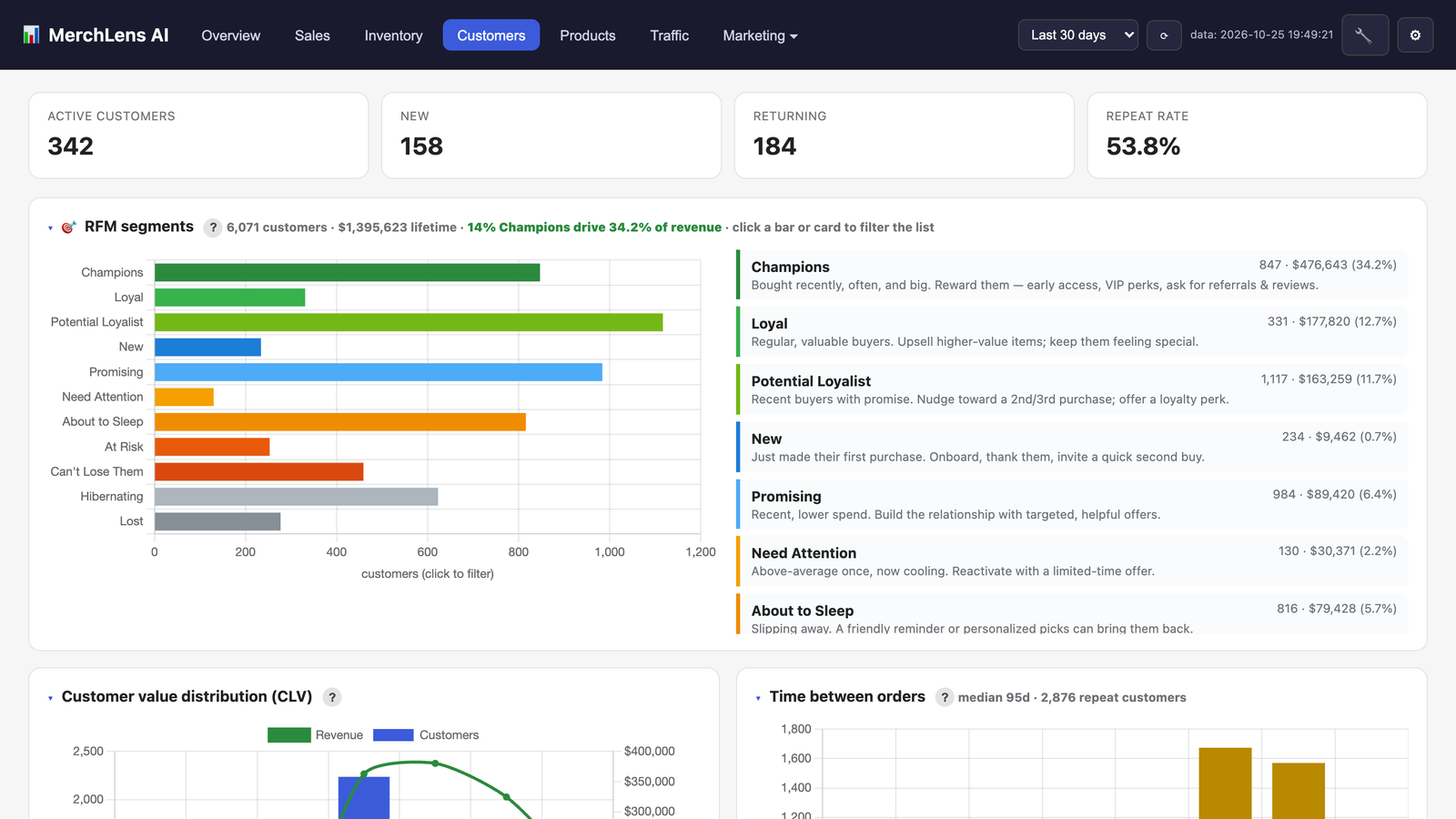
See new and returning shoppers, your repeat rate, and RFM segments: Champions, Loyal, Potential Loyalists, At Risk, Can’t Lose Them and more. Each segment comes with a plain suggestion for what to do next. Win-back lists find the good customers who haven’t been back, ready for a personal note.
Trade-show buying, and the buying and marketing planners
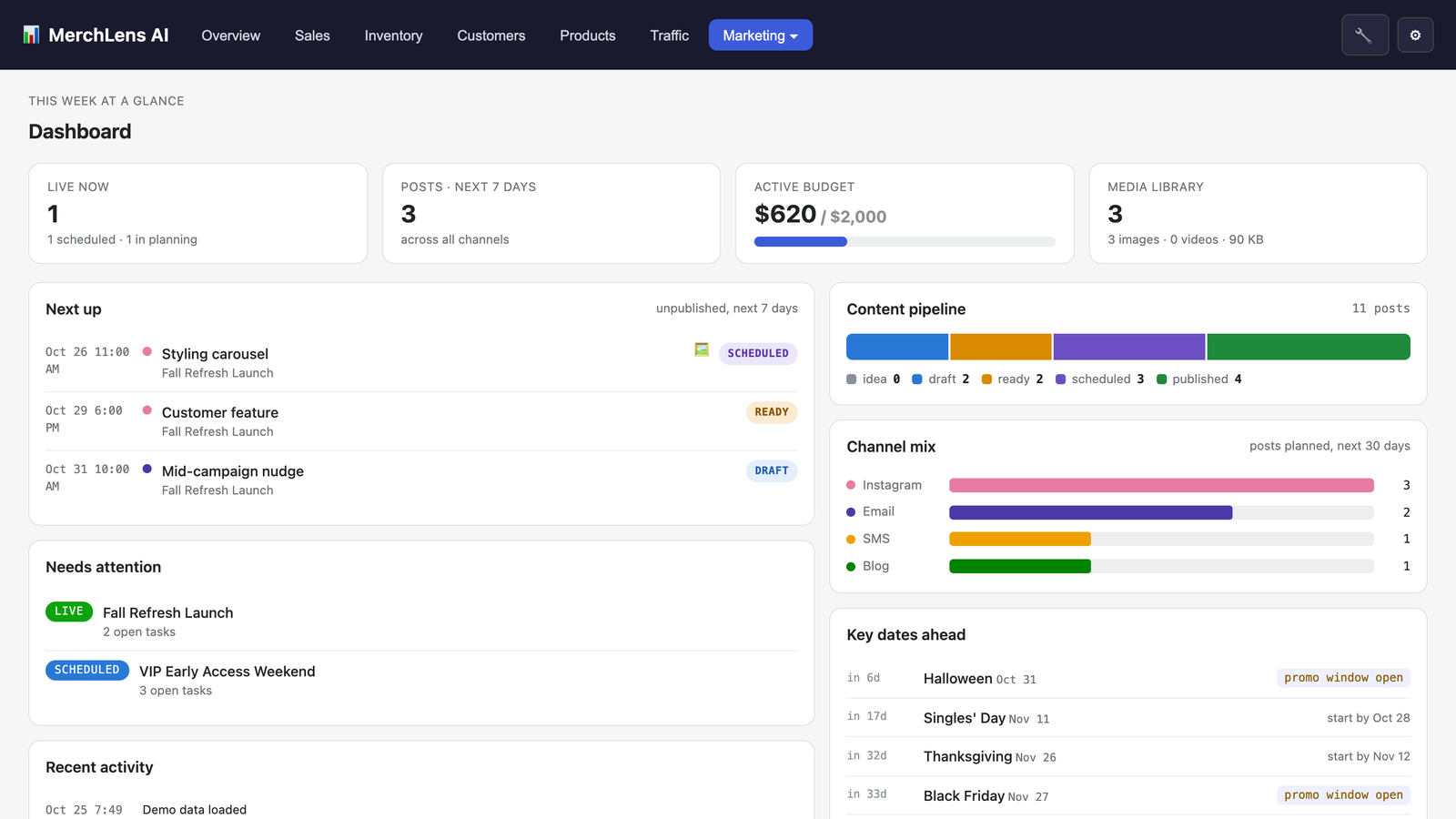
At a trade show, take a photo of each sample and record the buy right from your phone (vendor, cost, sizes, ship window) in a few taps. The photos go straight into your media library, ready for “coming soon” posts. Back home, plan each season’s buys by arrival month and track what’s ordered, paid and still to pay. The marketing planner keeps campaigns, key dates, the content pipeline and checklists in one place. The AI drafts a campaign brief and caption ideas, and each campaign is measured against what you’d normally sell on those days, so you know which ones to repeat. Campaigns and dates sync to Apple, Google or Outlook calendars.
Works with the chatbot you already use
Connect your store’s data to ChatGPT, Claude, Perplexity and other assistants, and talk strategy there. Each one takes a few minutes to set up using its guide on merchlensai.com. Connectors share sales totals, products and inventory only. Your customers’ names, emails and phone numbers are never sent to any chatbot. Questions asked through your own chatbot don’t count against your plan’s AI questions.
Plans
Every plan includes the AI. You don’t need an API key and there are no usage bills. Every plan starts with a 14-day free trial of Premier, with 50 AI questions during the trial. You can cancel any time from Shopify. Prices are in USD per month, billed through Shopify.
| Plan | Price | What you get |
|---|---|---|
| Starter | $8.95 | Sales and inventory dashboard · Reorder report · Weekly AI briefing · 200 AI questions a month · Chatbot connectors |
| Growth | $18.95 | Everything in Starter · Sales forecast and seasonality · Product lifecycle and markdown optimizer · Customer segments · Brand scorecard · Website traffic · 500 AI questions |
| Pro | $28.95 | Everything in Growth · Buying planner · Churn risk and win-back lists · 750 AI questions · Priority support |
| Premier | $38.95 | Everything in Pro · Marketing planner · Trade-show buying with photos from your phone · AI style tagging from product photos · 1,000 AI questions |
If you use up your AI questions, everything else keeps working, and the allowance resets next month. You’re never charged extra.
Privacy and security
- You sign in through Shopify. There are no passwords to share and no extra account to create.
- All traffic uses HTTPS. Stored data sits on an encrypted disk volume, backups are encrypted, and each store’s data is kept separate from every other store’s.
- Customer email addresses and phone numbers are never stored. We act on every customer data and deletion request that Shopify forwards. When you uninstall, Shopify asks us to delete your store’s data 48 hours later, and we delete it.
- AI features are powered by Anthropic. Only the store figures each question needs are sent.
- Chatbot connectors never receive customer names, emails or phone numbers.
The privacy policy has the full details, and the terms include a data processing agreement.
Questions
Do I need to be technical?
No. Install the app from Shopify and it reads your order history automatically. A small store is ready in about a minute. There’s nothing to configure and no AI account to set up.
Does it work for stores that sell in person?
Yes. It works with Shopify POS as well as online stores, and it shows how your counter and your website each contribute.
Is it only for clothing boutiques?
It’s designed for independent boutiques, especially apparel and gifts. The sales, inventory, customer and AI features work for any Shopify store, but size and color mix need size and color options on your products.
Where do I get help?
Email support@merchlensai.com, open a ticket at merchlensai.com/support, or read the guides at merchlensai.com/help.
Know what to reorder, what to mark down, and why.
Try every Premier feature free for 14 days.
Get MerchLens AI on the Shopify App Store →
Features, guides and pricing at merchlensai.com